
 Join our Discord
── ENGLISH ──
RS Revive Station — Player Revival System
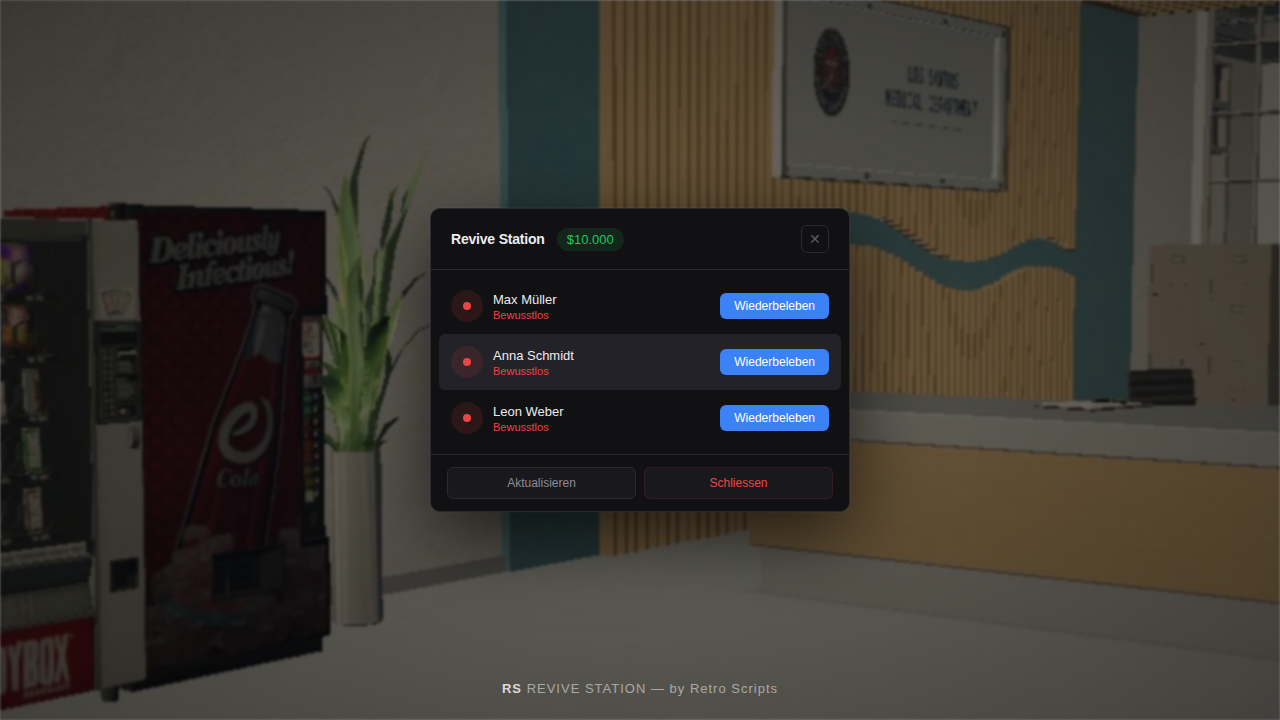
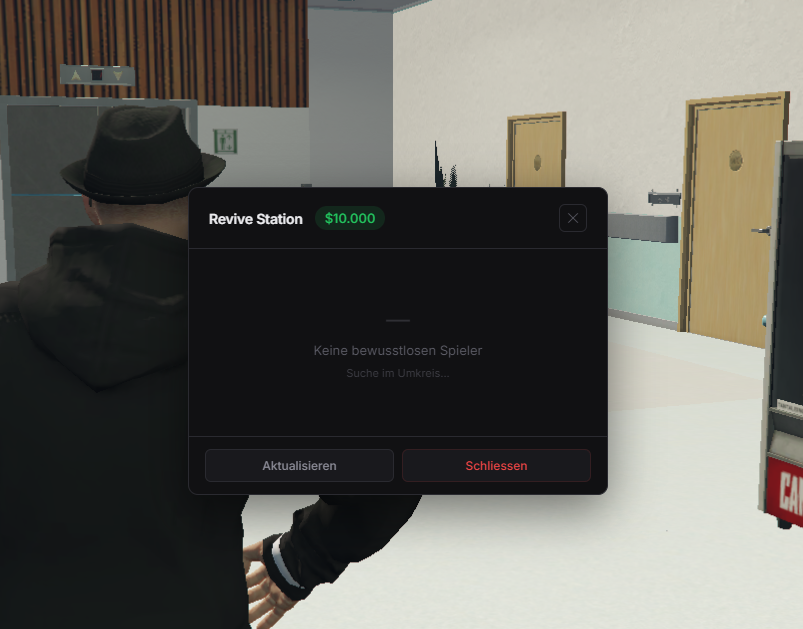
Let players revive unconscious players at hospital stations — for a configurable price. Only works when fewer than X medics are online.
Features:
- ESX & QBCore support
- Unlimited station locations
- Medic limit (station locks when enough medics are on duty)
- Configurable cost, events, texts & notifications
- Modern minimalist dark UI (colors customizable via CSS)
- Discord webhook logging
- Per-player cooldown
Security:
- All checks server-side (distance, money, death status, medic count)
- No client-trusted data
- Self-revive & dead-revive protection
- XSS-safe UI
Config files (not encrypted):
- config.lua — Stations, cost, events, framework, texts
- sv_config.lua — Webhook URL, cooldown, stabilize delay
- colors.css — UI colors
Requirements: ESX or QBCore, a death/revive system (configurable)
Installation:
1. Drop rs_revivestation into resources
2. ensure rs_revivestation in server.cfg
3. Edit config.lua & sv_config.lua
4. Restart
── DEUTSCH ──
RS Revive Station — Wiederbelebungssystem
Spieler können bewusstlose Spieler an Krankenhaus-Stationen wiederbeleben — gegen konfigurierbare Kosten. Funktioniert nur wenn weniger als X Medics online sind.
Features:
- ESX & QBCore Support
- Unbegrenzt viele Stationen
- Medic Limit (Station sperrt wenn genug Medics im Dienst)
- Kosten, Events, Texte & Benachrichtigungen konfigurierbar
- Modernes minimalistisches Dark UI (Farben via CSS anpassbar)
- Discord Webhook Logging
- Cooldown pro Spieler
Sicherheit:
- Alle Checks serverseitig (Distanz, Geld, Tod-Status, Medic-Anzahl)
- Keine vom Client gesendeten Daten
- Selbst-Revive & Tot-Revive Schutz
- XSS-sicheres UI
Config-Dateien (nicht verschlüsselt):
- config.lua — Stationen, Kosten, Events, Framework, Texte
- sv_config.lua — Webhook URL, Cooldown, Stabilize Delay
- colors.css — UI Farben
Voraussetzungen: ESX oder QBCore, ein Tod/Revive System (konfigurierbar)
Installation:
1. rs_revivestation in resources ziehen
2. ensure rs_revivestation in server.cfg
3. config.lua & sv_config.lua bearbeiten
4. Neustarten